
DAM workflow tools to stay connected and automate processes
Seamlessly connect creative and marketing teams, and integrate the systems they need to be successful.

Go With a New Flow
A DAM that pulls its weight on your marketing team shouldn’t just store finished assets; it should route and track them through their lifecycle.
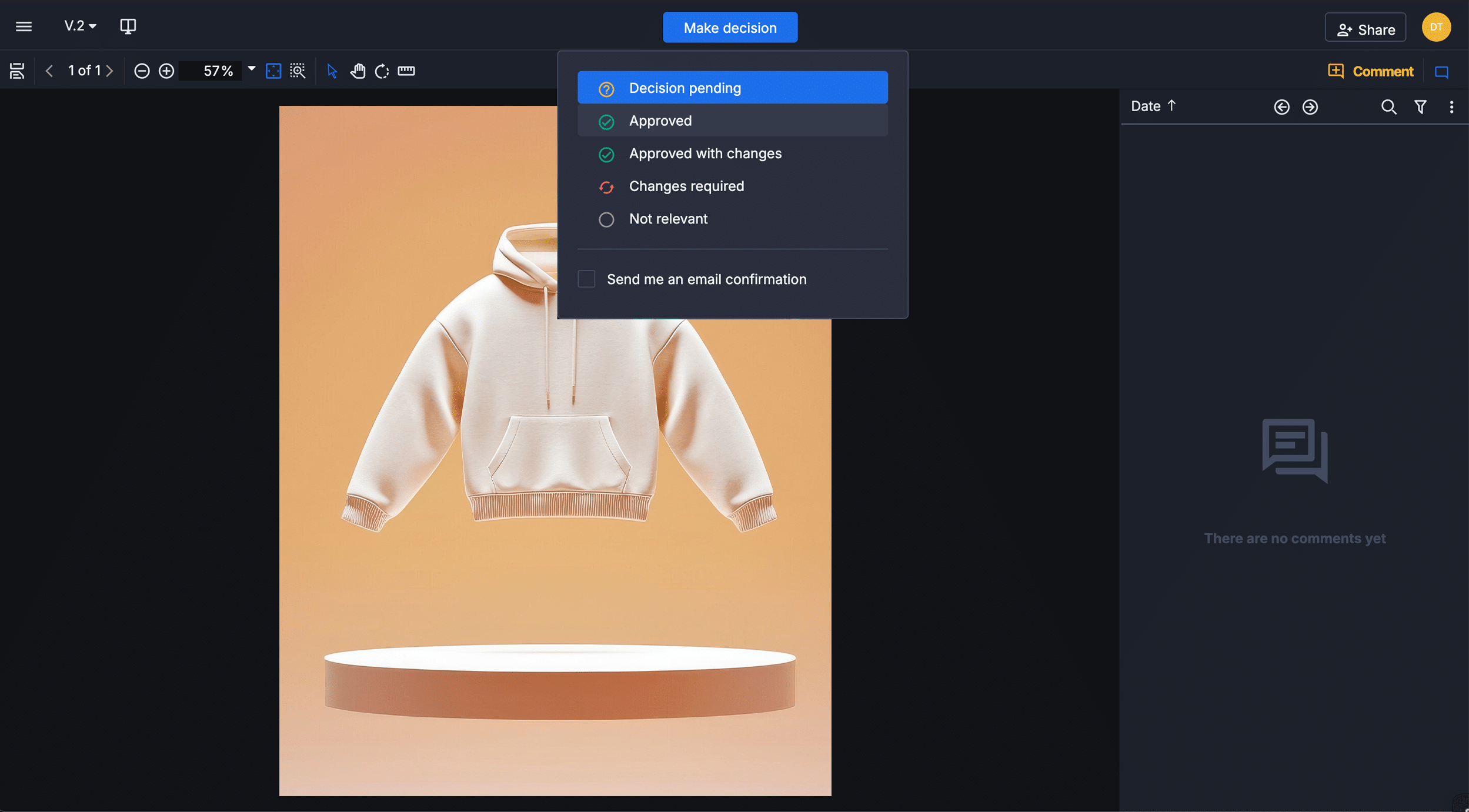
Tenovos offers integrated DAM workflow tools that seamlessly move content from person to person within a customizable workflow and speed up review and approval collaboration with helpful features like direct asset annotating.
A logical flow that keeps everyone on the same page means making better content faster, and never having to decide between final_final.jpg and NEW_final_final.jpg ever again.
Let Automation Lend a Hand
Adding a content orchestration platform that has thoughtful automations can feel like getting new team members with increasing headcount. Automated DAM workflow templates can be easily set up once and then guide every piece along the way with triggered notifications when deadlines approach, or when it’s time for the next person in line to review.
In fact, you may never hear questions like “can you remind me where we are with this?” or “are you guys waiting on me for that?” again.
Connect Every Dot
In addition to connecting team members, you need a system that can quickly and reliably integrate with the creative tools they use every day. Our tools can move assets seamlessly back and forth between the DAM and tools like Adobe Creative Suite, keeping your creators in flow. And when all your systems are connected, you can collect data at every stage of the content lifecycle and from systems like your PIM to create a holistic view that leads to important insights about your process and performance.
And speaking of staying connected, Tenovos can make automated language translations to empower global teams throughout the process.

Related Capabilities
Frequently Asked Questions
What workflow features should a modern DAM have?
If you’re still using a Drive or Dropbox to manage your assets, you already know there are some limitations—especially when it comes to your workflow. Today’s DAMs are expanding beyond being a static archive for your assets—integrating workflow management, intuitive search, AI tagging, and even publishing in the same platform.
How do approval workflows work inside a DAM?
Centralizing your creative workflows in your DAM saves your team time searching for content (it’s all right there) and automatically triggers the right people to collaborate in review rounds. In many DAMs, you can mark up, comment, review, and approve assets right from the platform—anything from graphics and print assets to rendered video assets.
How can I automate the creative review process?
If you automate reviews, it allows everyone to forget about things until it’s ready for them, which frees them up to do more focused work. Your DAM probably comes with a review template you’ll want to customize. Review and annotate content in the DAM and set workflow triggers to automatically alert marketing leaders and external partners to complete a review round—once they do, the cycle continues until all assets are approved.
What can rules automate in a DAM?
Not all DAMs work the same, but you should be able to set rules to automate things like:
- How metadata is mined from ingestion —Set yours to automatically tag file properties, content, and embedded data at ingestion.
- Permission-based access— Automate permissions based on where content is uploaded in the platform, or how content is tagged.
- Workflows— Apply rules to automate content organization and tagging when assets are uploaded into the system, ensuring they go where intended every time.
What does a creative suite integration add to DAM workflows?
Now, you open and modify assets using your creative tools, all within your DAM. This speeds up workflows and allows creatives more time to do what they love.
How should roles be defined in a creative workflow?
Define each role using the RACI model —responsible, accountable, consulted, and informed. Each person involved is categorized into these groups for efficiency and clarity. In fact, not every role needs to be directly involved in every project or task. Categorizing everyone involved under these roles will help you identify and solve for roadblocks in your processes.
Let’s Talk About Your Content.
See how Tenovos can help you improve productivity, visibility, and velocity related to content creation and optimization at scale.